VLANs
On one switch
The VLANs tab of a switch lists its VLANs with name, IP address, and untagged and tagged ports. New VLAN, Edit and Delete change them. VLAN 1 can't be deleted.
Edit ports by clicking
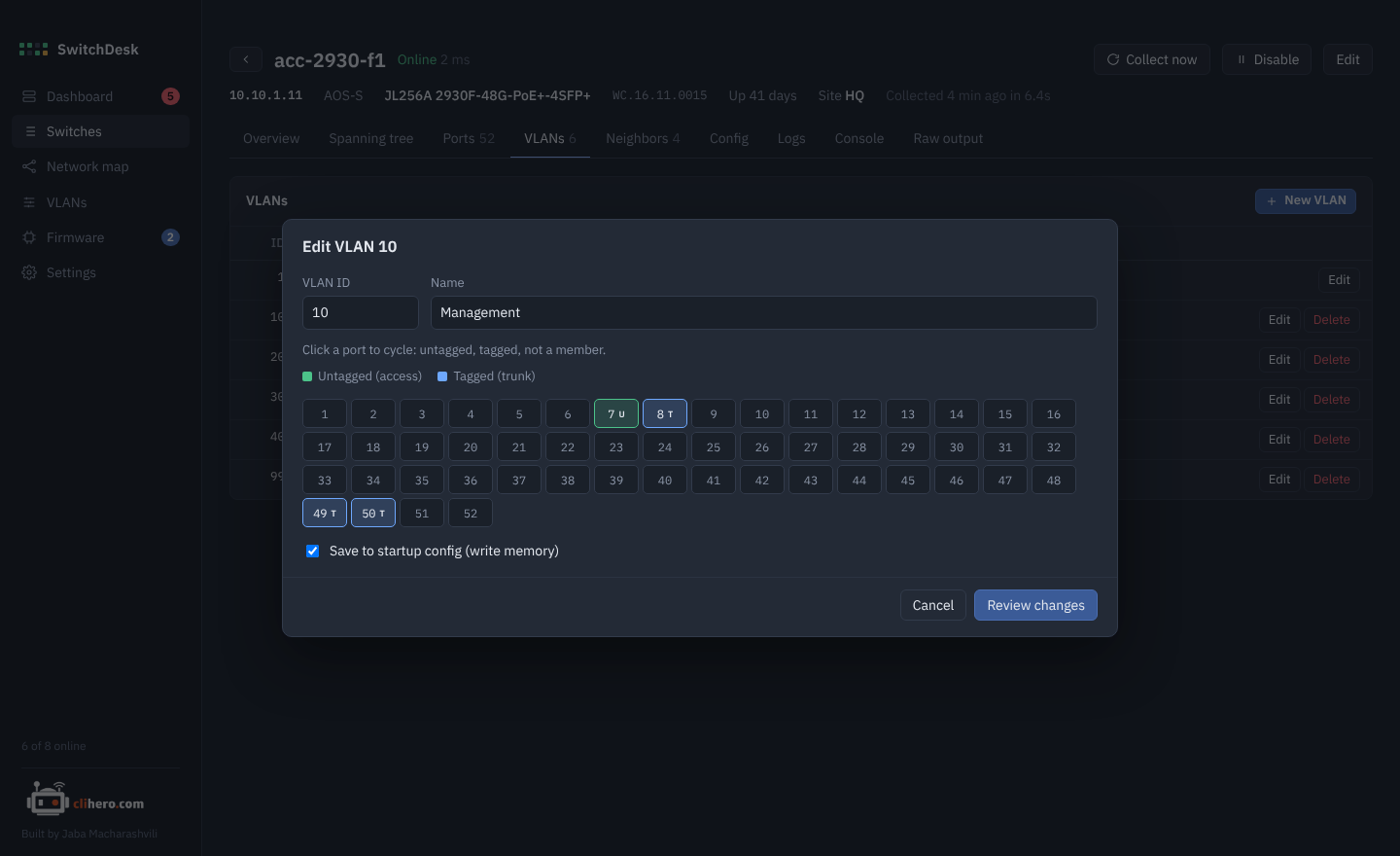
Each port is a button. Clicking cycles it through:
- U untagged (an access port in this VLAN)
- T tagged (a trunk carrying this VLAN)
- off (not a member)
Change the name in the same dialog. Save to startup config runs write memory at the end, so the change survives a reboot; untick it to try something out first.
Review before sending
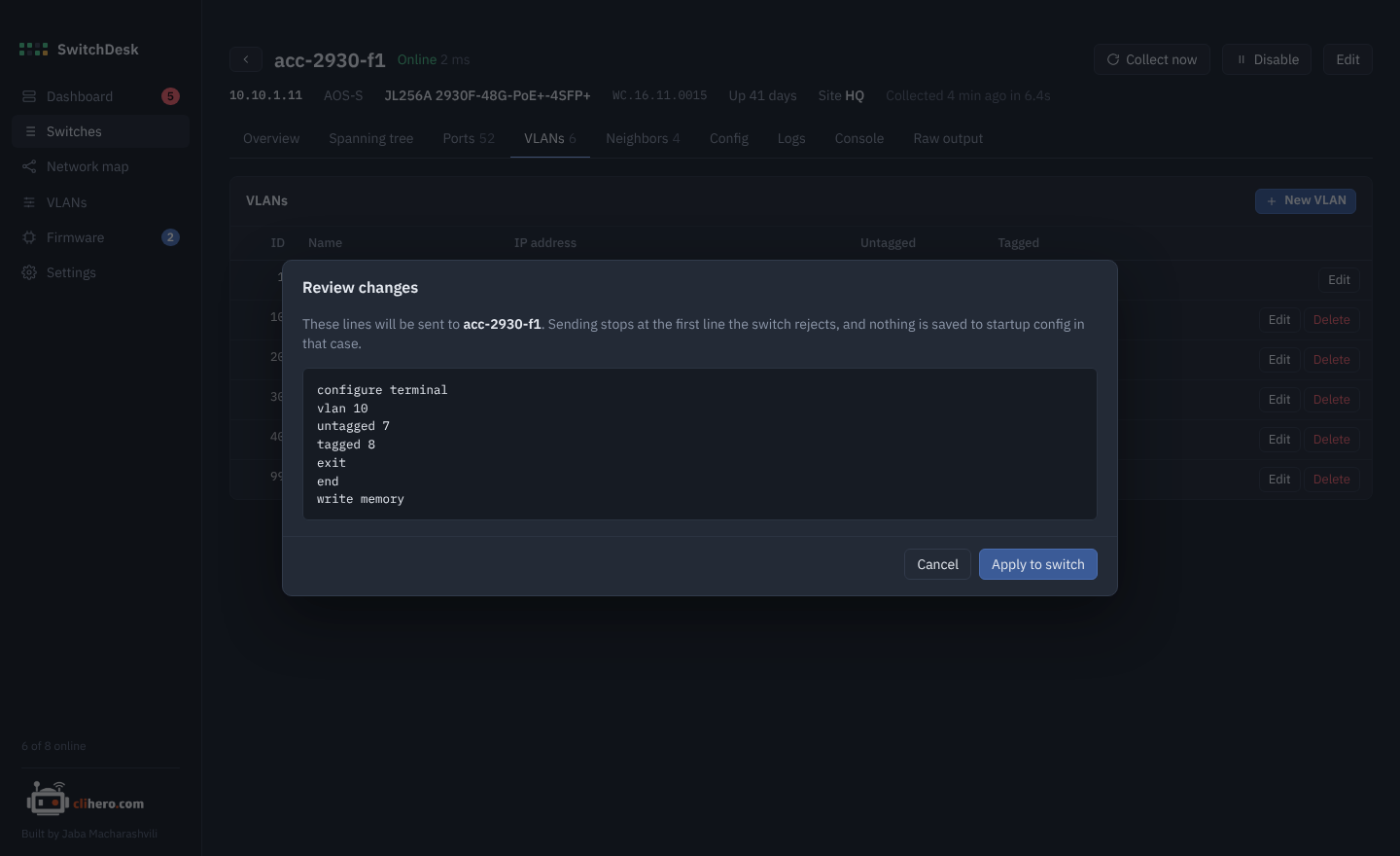
Review changes shows the exact lines that will be sent, for example on AOS-S:
configure terminal
vlan 10
untagged 7
tagged 8
exit
end
write memory
and on AOS-CX:
configure terminal
vlan 30
exit
interface 1/1/49
no routing
vlan trunk allowed 30
exit
end
Apply to switch sends them one by one and shows the switch's replies. If the switch rejects a line, SwitchDesk stops there, and write memory is never reached, so nothing half-done gets saved. Afterwards the switch is read again so the tables update.
Instant On
Instant On switches don't take VLAN changes over SSH. Change them in the Instant On portal or app.
Across the network
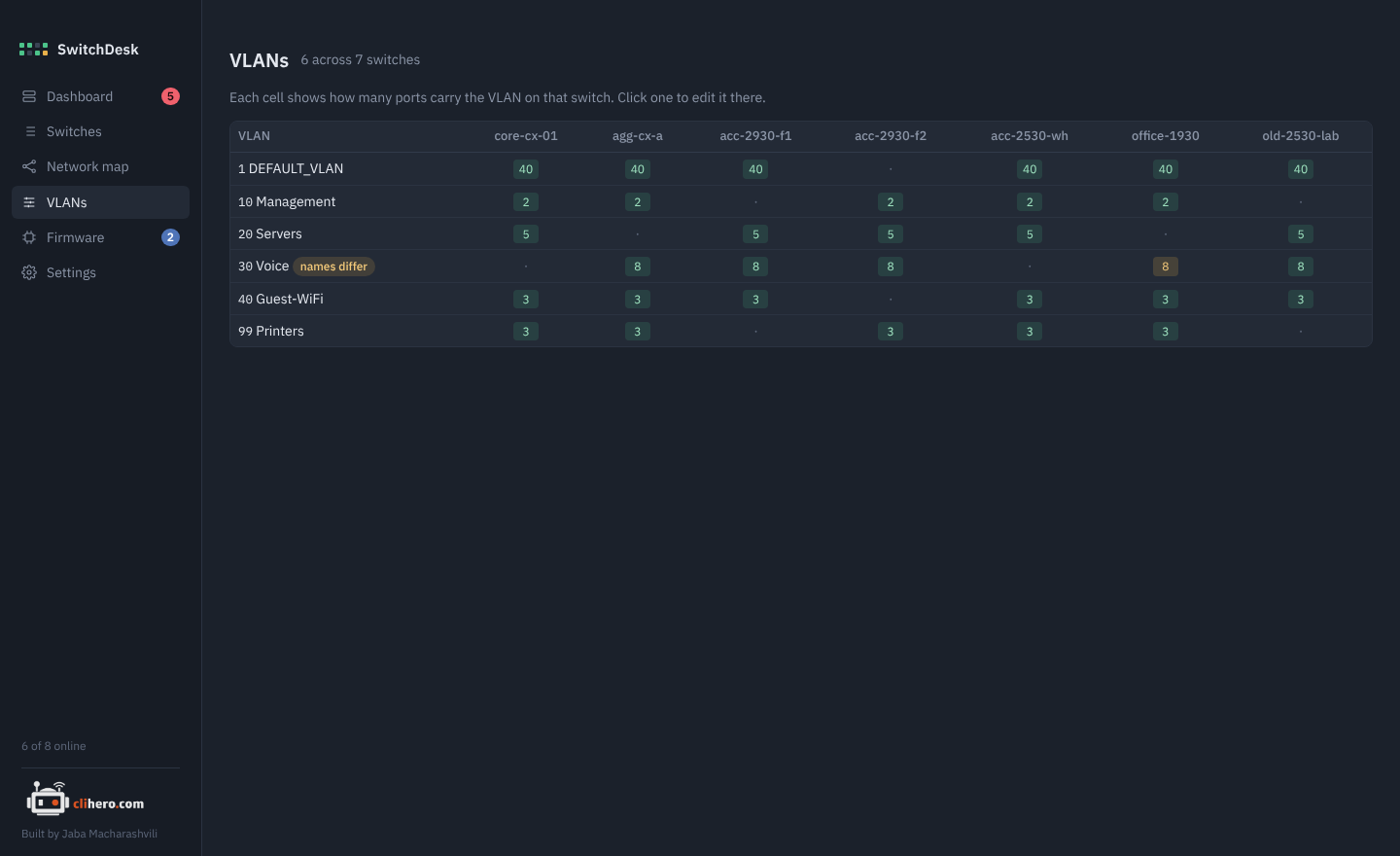
The VLANs page lists every VLAN on every switch. Each cell shows how many ports carry that VLAN there; a dot means the switch doesn't have it. When the same VLAN ID has different names on different switches, the row is marked names differ and the odd ones out are highlighted. Click a cell to open that switch's VLAN tab.