SwitchDesk
SwitchDesk is a desktop app for Aruba switches. It logs in to each switch over SSH, reads its state, and puts the whole network on one screen: which switches are up, what's misconfigured, how spanning tree looks, which VLANs live where, how everything is cabled together, and which switches have newer firmware waiting.
It runs on macOS and Windows and keeps all data on your own computer.
Download the latest release Install guide
What it does
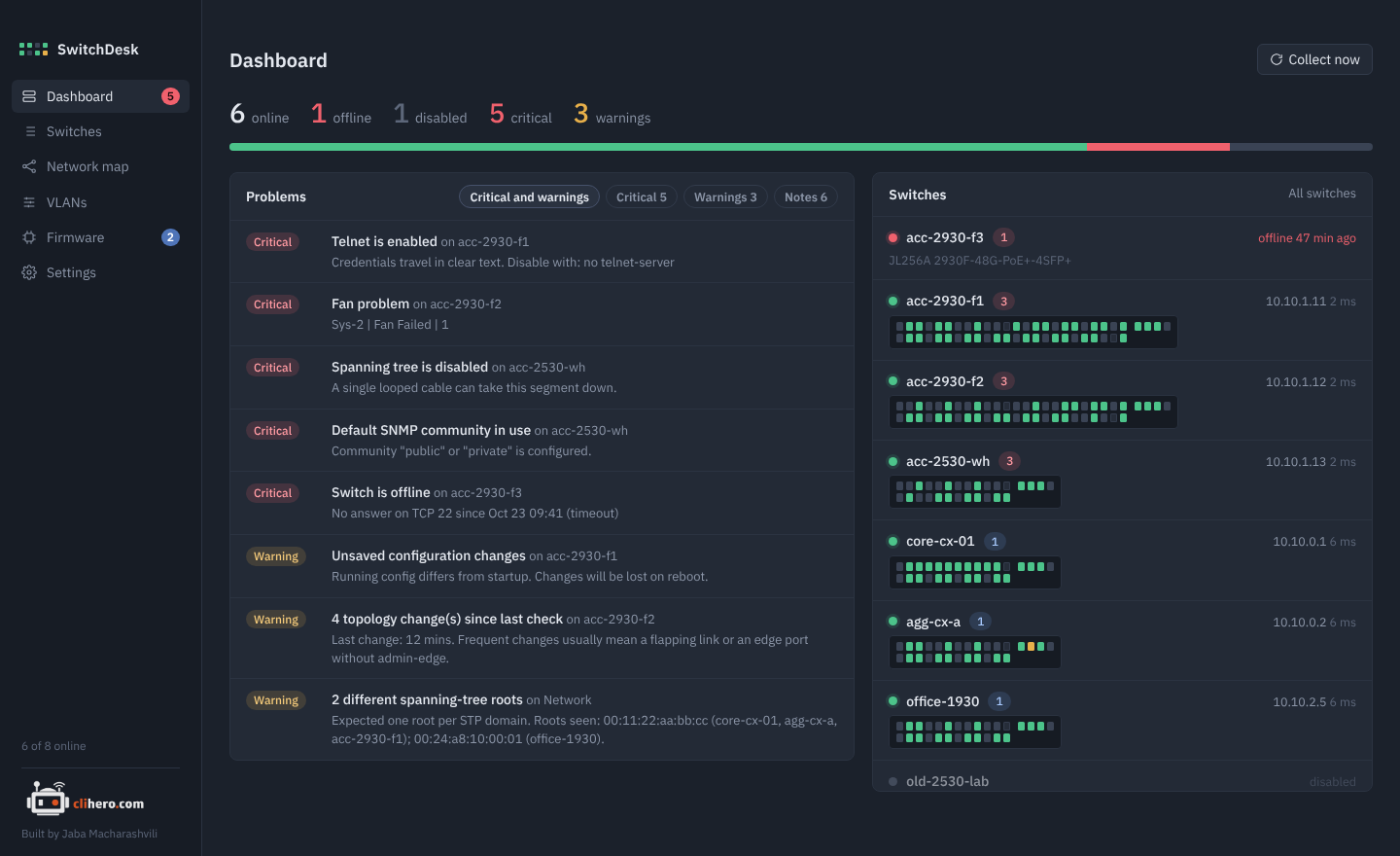
One screen for the morning check. Online and offline counts, every problem across the network sorted by severity, and each switch drawn as a faceplate with one LED per port. Read more on the dashboard page.
Every switch in detail. System facts, management access, spanning tree, ports, VLANs, LLDP and CDP neighbors, logs, the running config with saved copies you can compare, and a read-only console. See Switches.
VLANs without the CLI. Click ports to make them untagged, tagged or off, see the exact commands before anything is sent, and compare VLANs across all switches in one matrix. See VLANs.
A network map that draws itself. Built from LLDP and CDP, laid out top-down from the spanning-tree root, with blocked and down links marked. See Network map.
Firmware updates. See which switches have something newer in your firmware library, update one or many with a click, or let SwitchDesk do it on its own in a maintenance window. See Firmware updates.
Yours to move. Choose where the data lives, or move everything to another computer with one passphrase-protected file. See Your data.
Supported switches
| Family | Models | Support |
|---|---|---|
| AOS-CX | 6000, 6100, 6200, 6300, 6400, 8xxx | Full |
| AOS-S / ProCurve | 2530, 2540, 2930F/M, 3810, 5400R | Full |
| Instant On | 1830, 1930, 1960 | Read-only, through the switch's web interface (local management) or the Instant On portal (cloud management). See Instant On switches. |
All the switches need is SSH, plus LLDP if you want them on the map.