Your data
Everything SwitchDesk knows stays on your computer, in one folder.
| OS | Default folder |
|---|---|
| macOS | ~/Library/Application Support/SwitchDesk |
| Windows | %AppData%\SwitchDesk |
Inside it:
| Path | Holds |
|---|---|
inventory.json |
Switches, credentials, settings and map positions. Passwords are encrypted. |
secret.key |
The key that encrypts the passwords, readable only by your user. |
snapshots/ |
The last reading of each switch, so the app opens with data. |
backups/ |
Copies of each switch's running config, one per change. |
firmware/ |
The firmware library. |
Choose another folder
Settings → Data → Change… lets you keep the data elsewhere: another disk, or a synced folder like Dropbox or OneDrive.
- If the folder is empty, choose to move your data there (and remove it from the old place) or copy it (and leave the old folder as it is).
- If the folder already has SwitchDesk data, choose to use the data that's there or replace it with yours.
The encryption key moves with the folder, so the same folder opens on any computer that can reach it. Use default switches back.
If the chosen folder isn't available when SwitchDesk starts (an unplugged disk, say), it opens the default folder and tells you.
Move to another computer
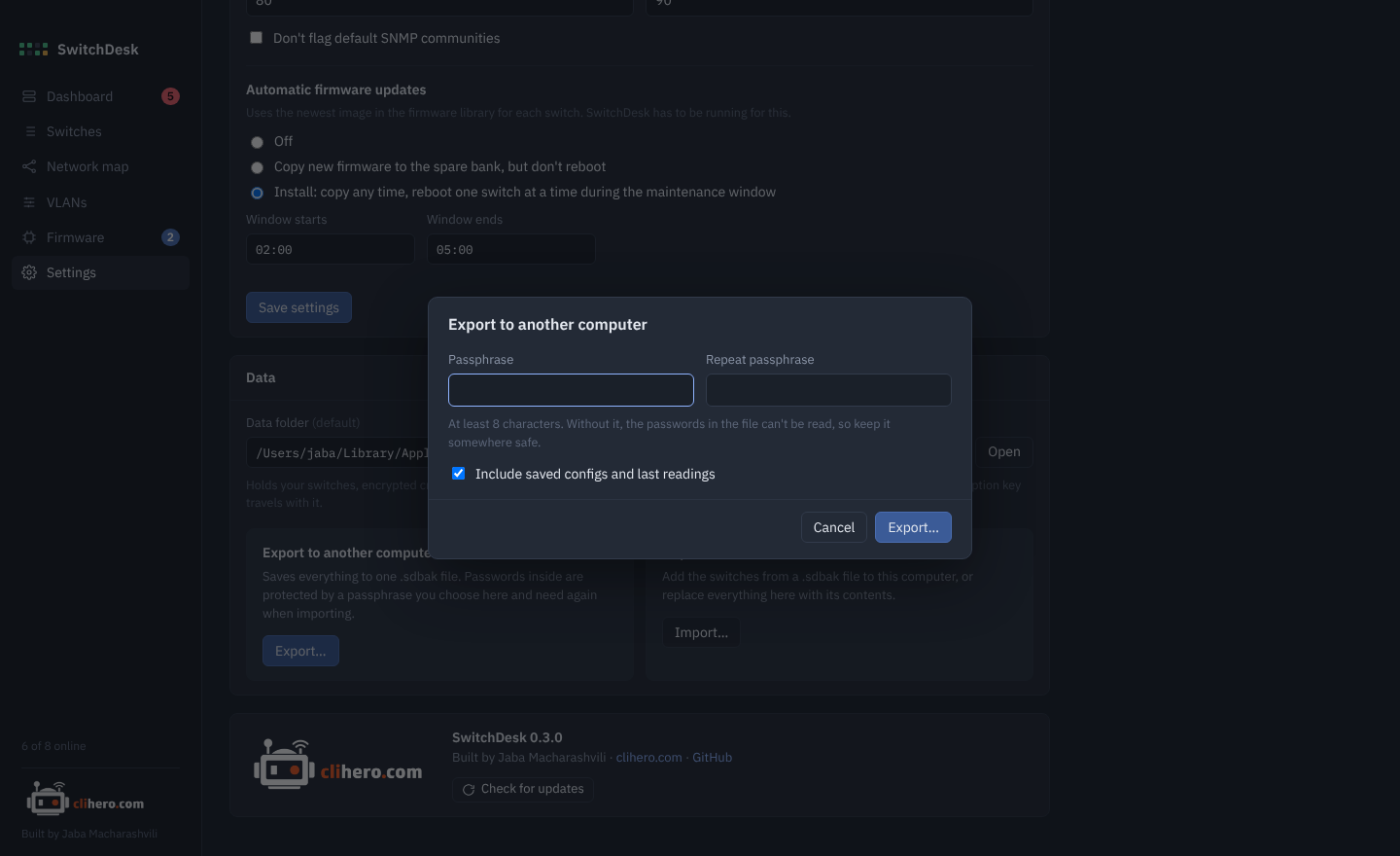
Export saves everything into one .sdbak file. You pick a passphrase of at least 8 characters, and the passwords inside are encrypted with it (Argon2id and AES-GCM), so the file is safe to carry around. Saved configs and the last readings can be included or left out.
On the other computer, Import asks for the passphrase, shows what's in the file, and then either:
- adds its switches to the ones already there (switches with the same address and port are skipped), or
- replaces everything with the file's contents.
Warning
Keep the passphrase somewhere safe. Without it, the passwords in the file can't be read.
Security
- Passwords are encrypted at rest with AES-GCM and are never shown again after you save them.
- SSH host keys are pinned on first connect. A changed key stops SwitchDesk from connecting until you confirm.
- The console only runs
show,pingandtraceroute. - Configuration changes only happen when you start them, and you see the commands first.
- Nothing leaves your computer except SSH to your switches, HTTPS to AOS-CX switches while a firmware update uploads, TFTP only as a fallback, the Instant On portal if you added Instant On switches, and the update check against GitHub.