Firmware updates
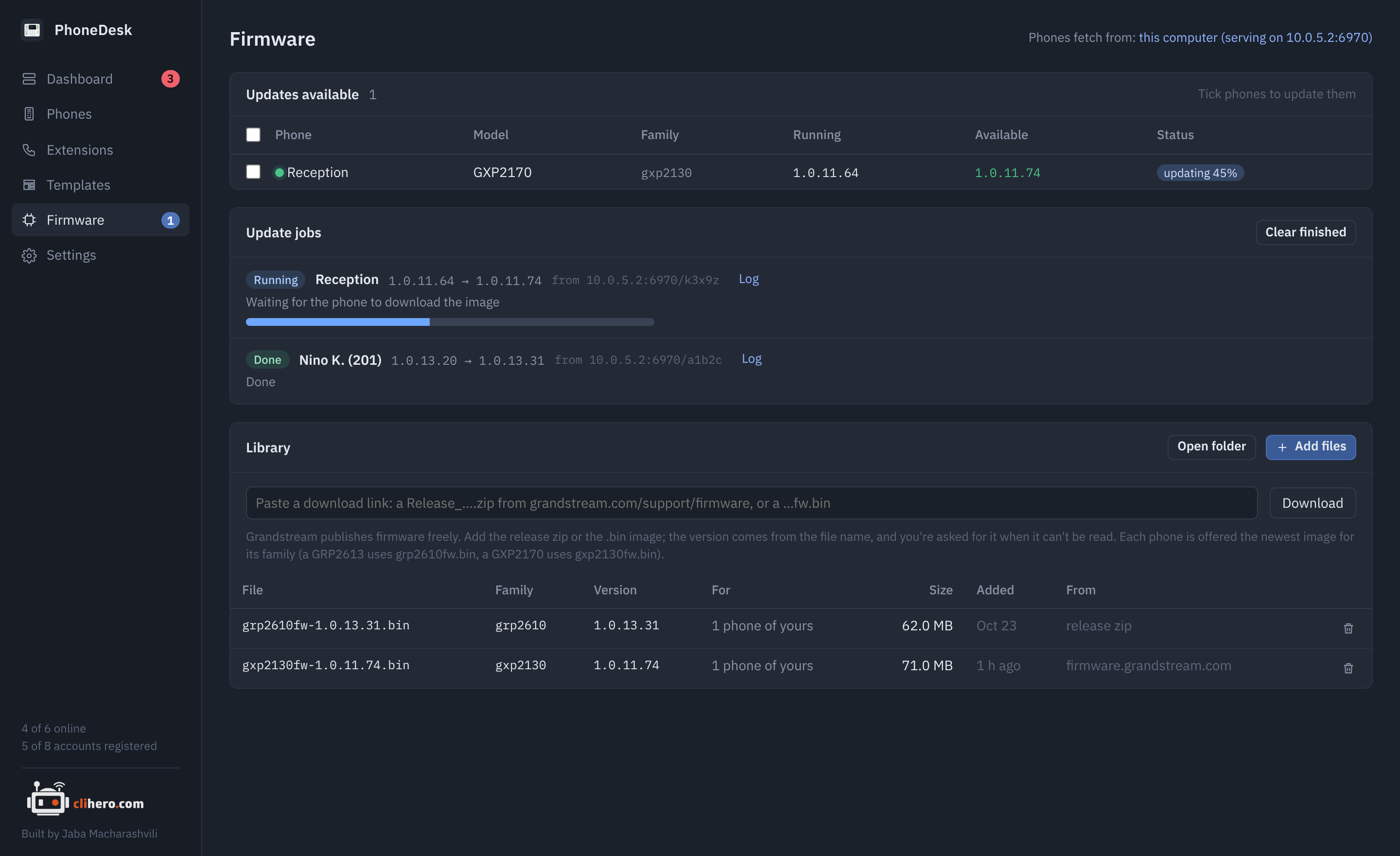
The library
The library is a folder of firmware images, kept in your data folder. Fill it two ways:
- Add files: pick
.binimages orRelease_….ziparchives you downloaded. A zip is unpacked and the image taken out. - Download: paste a link from Grandstream's firmware page. A
Release_….zipis unpacked and the image taken out; a bare…fw.binlink is saved as is.
Either works; the zip is the handier one, because its name carries the version. Keep Grandstream's file names.
The version is read from the file name (grp2610fw-1.0.13.31.bin, Release_GRP261x_1.0.13.31.zip). When it can't be read, you're asked for it. Images are matched to phones by firmware family, which is what the phone itself downloads: a GRP2613 fetches grp2610fw.bin, a GXP2170 fetches gxp2130fw.bin, a GXP1628 fetches gxp1600fw.bin. Each phone is offered the newest image for its family.
Updating
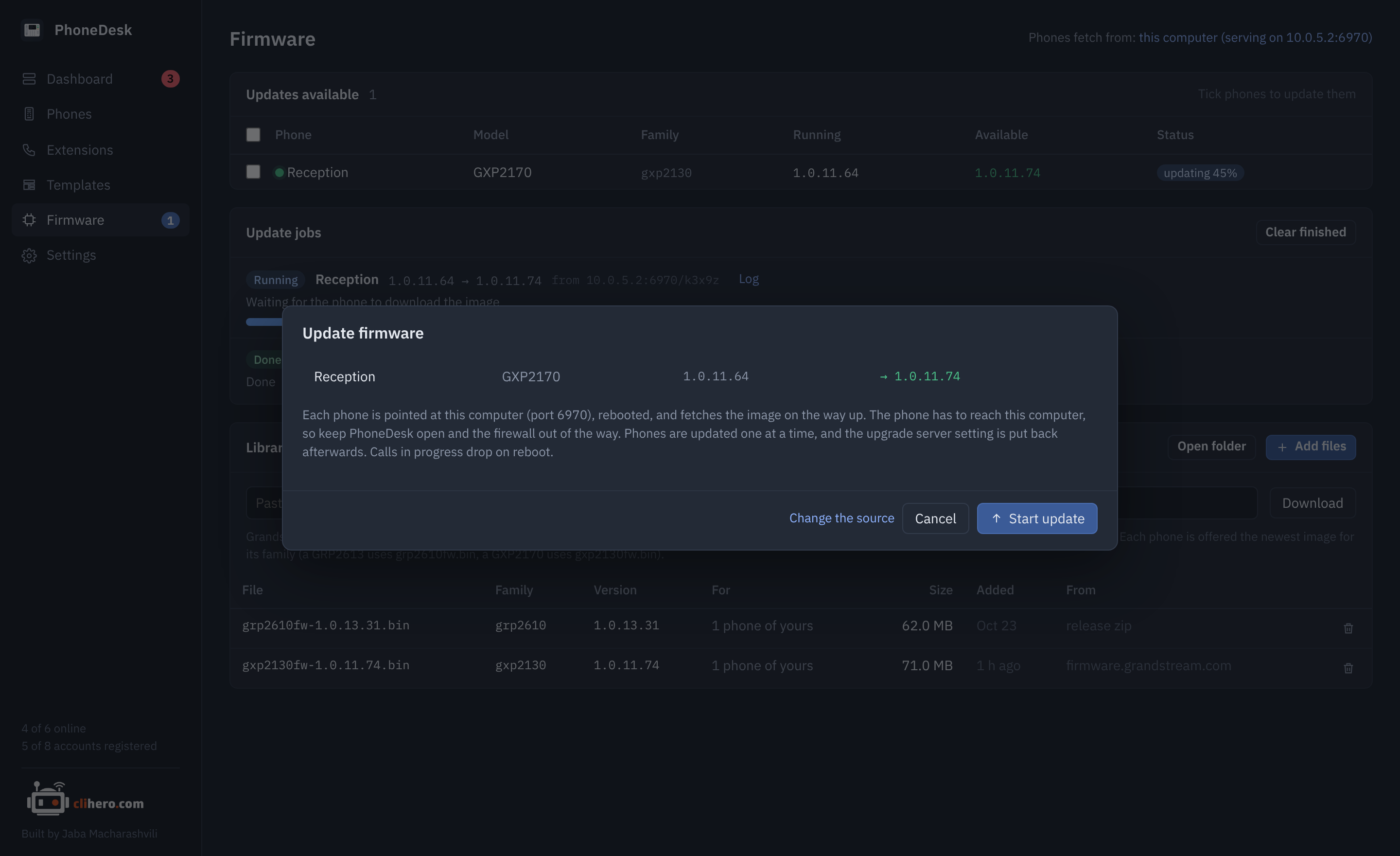
Phones with something newer in the library appear under Updates available, on the Firmware page, in the phone list and on each phone's page. Tick them and click Update. The dialog lists each phone with its running and target version and explains where the phone will fetch from.
Grandstream phones download firmware themselves, so an update goes like this:
- PhoneDesk logs in, notes the phone's current upgrade settings, and points the phone at the image: its firmware server path, protocol and "always check" setting.
- The phone is rebooted. On the way up it downloads the image and installs it.
- PhoneDesk waits for the phone to go down, download, install and come back, then reads it and checks the running version.
- The phone's previous upgrade settings are put back.
Each step is logged on the job; open Log on a running or finished job to see it. Phones are updated one after another, so a bad image can't take a whole office down at once. Calls in progress drop when the phone reboots.
Where phones fetch from
Set in Settings → Where phones fetch firmware from:
This computer (the default). PhoneDesk serves the library over HTTP on port 6970 while an update runs, and each job gets its own download path so the phone fetches exactly the image you picked. The phone has to reach your computer on that port: keep PhoneDesk open, and let the port through your firewall. If the phone is on another network behind a VPN or zero trust access that only goes one way, this won't work; use the SSH relay below.
Grandstream's public server. The phone is pointed at firmware.grandstream.com and installs whatever Grandstream currently publishes for it. The phone needs internet access, and the version it ends up on is Grandstream's call, not your library's.
Another server. A provisioning or web server of your own, as host or host/folder, over HTTP, HTTPS or TFTP. Put the images there under their family names (grp2610fw.bin).
A server the phones can reach, filled over SSH. For zero trust access and one-way VPNs, where you can reach the phones but they can't reach you. You give PhoneDesk an SSH login to a server on the phones' network (a FreePBX box already runs a TFTP server for provisioning), the folder images should land in, and the path phones use to reach that folder. Before each update PhoneDesk copies the image over SSH to folder/phonedesk/<version>/<family>fw.bin, skipping the copy when the same file is already there, then points the phone at path/phonedesk/<version> over TFTP, HTTP or HTTPS. Nothing has to reach your computer. While the relay is the source, every image you add to the library is copied to the server right away, and the library's Relay column says which ones are there; Copy library to relay copies everything that isn't yet.
For FreePBX: SSH host is the PBX address, folder /tftpboot, path phones use is the PBX address again, via TFTP. The SSH user needs write access to /tftpboot (root does). Test relay in Settings connects, checks the folder is writable and shows the server's host key, which is pinned from then on: if the server is reinstalled and its key changes, PhoneDesk refuses to connect until you click Forget host key in Settings. A password is stored encrypted like the phone passwords; a private key file can be used instead of or together with it.
The server can also be started by hand from Settings and left running, which turns PhoneDesk into a plain firmware server for phones you point at it yourself: /grp2610fw.bin serves the newest image of that family.
If an update stalls
- No download after four minutes (this computer as the source): the phone couldn't reach your computer on the port, or decided the image isn't newer. Check the firewall, or the version in the file name. If the phones can never reach you, switch to the SSH relay.
- Upload failed (relay): the SSH user can't write to the folder, or the disk is full. The job log has the server's message; Test relay in Settings reproduces it.
- The phone is still answering after 90 seconds: it ignored the reboot or is rebooting slowly. The job keeps waiting.
- Running a newer version than the image: the phone was already past the library. Nothing is downgraded.
A failed job leaves the phone as it was, with its upgrade settings restored where that was still possible; the log says if it wasn't.