PhoneDesk
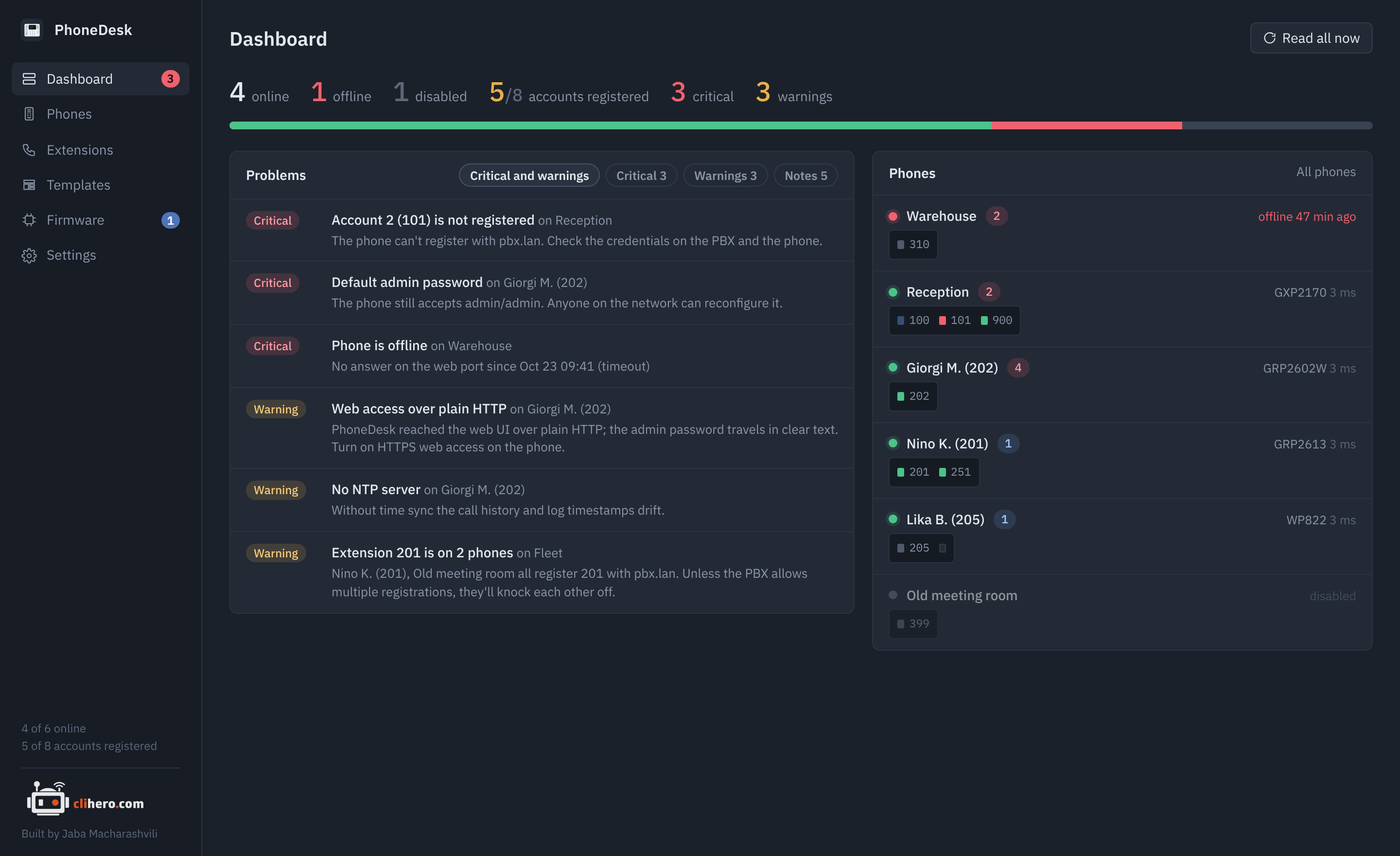
PhoneDesk is a desktop app for Grandstream IP phones. It logs in to each phone's web interface, reads it, and puts the whole fleet on one screen: which phones are up, which SIP accounts are registered, which phone still has the factory password, where extension 214 sits, and which phones have newer firmware waiting in your library.
It runs on macOS and Windows and keeps all data on your own computer.
Download the latest release Install guide
What it does
One screen for the morning check. Online and offline counts, registered accounts, and every problem across the fleet sorted by severity. Each phone is drawn with one LED per account. Read more on the dashboard page.
Every phone in detail. Model and firmware, accounts and their registration state, live line status, network and time settings, a management access checklist, saved copies of the settings you can compare and restore, and a console for reading and writing any P-value. See Phones.
Templates. One list of settings, applied to as many phones as you like, with a review of what changes on each phone before anything is written. The same list exports as cfg<mac>.xml files for a provisioning server. See Templates and provisioning.
Extensions. Every SIP account across all phones in one searchable table. See Extensions.
Firmware updates. Keep images in a library, see which phones have something newer, and update them one after another while PhoneDesk watches each one come back. See Firmware updates.
Yours to move. Choose where the data lives, or move everything to another computer with one passphrase-protected file. See Your data.
Supported phones
| Family | Models |
|---|---|
| GRP26xx | GRP2601, 2602, 2603, 2604, 2612, 2613, 2614, 2615, 2616, 2624, 2634, 2636, 2650, 2670 |
| GXP21xx | GXP2130, 2135, 2140, 2160, 2170 |
| GXP16xx / GXP17xx | GXP1610, 1615, 1620, 1625, 1628, 1630, 1760, 1780, 1782 |
| Others | GXV33xx and GXV34xx video phones, WP8xx and DP7xx cordless, HT8xx adapters. Same web API; line status may be missing on some. |
All a phone needs is its web interface switched on, over HTTPS or HTTP, and the admin password. Registration state needs Action URI support turned on in the phone's web UI; see Troubleshooting.